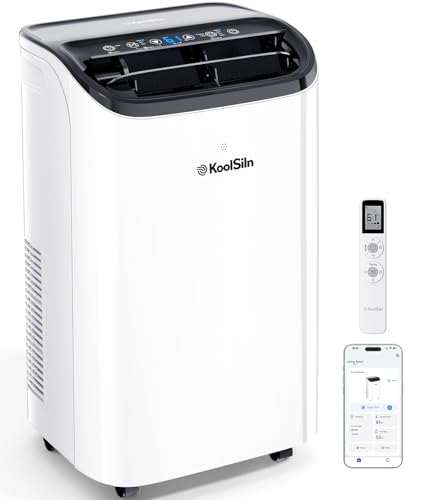
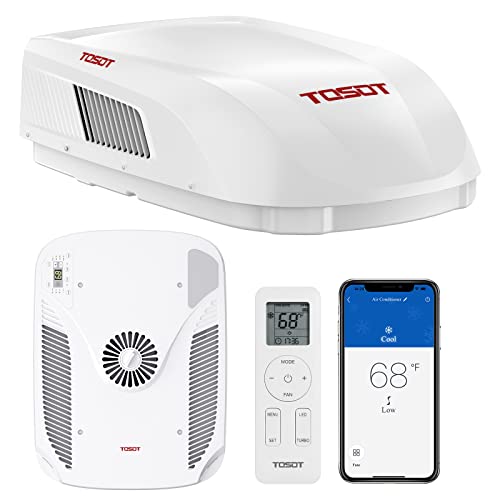
Our Top Picks
 DELLA 6000 BTU Energy Saving Window Air Conditioner6,000 BTU WIFI15.2 x 15.98 x 12.52 inches38.6 poundsCheck on Amazon


What's inside
- First, the cooling underneath the cleverness
- What smart actually means in this category
- App control: the remote that is always in your pocket
- Sensors: occupancy, humidity and the intelligence of placement
- Geofencing and presence: cooling that follows your life
- Voice control and the wider connected home
- Five smart archetypes to consider
- Archetype one: the connected ductless split for a principal room
- Archetype two: the multi-zone connected network
- Archetype three: the smart window unit for renters and first homes
- Archetype four: the smart controller that upgrades an existing unit
- Archetype five: the connected ducted system with smart zoning
- Energy reports and the honest mirror of data
- Networks: the unglamorous foundation
- Privacy and security, taken seriously and calmly
- Installation and setup: two different ceremonies
- Troubleshooting the connected layer
- Maintenance in a connected household
- Costs: the premium and what it buys
- Common buying mistakes in the smart category
- Frequently asked questions
- Learning algorithms: promise, patience and supervision
- Night, sleep and the connected bedroom
- Accessibility and households with different needs
- Second homes, cottages and remote reassurance
- Firmware, updates and the changing product
- A pre-purchase checklist for connected cooling
- Seasonal intelligence: using smart features across the year
- Children, pets and the democracy of the thermostat
- What installers wish connected buyers understood
- Looking ahead without buying the future
- Two households, two opposite verdicts
- A note on demonstrations and showrooms
- The first fortnight with a connected system
- A word about households that opt out
- Check prices on Amazon
- Drawing the threads together
As an Amazon Associate I earn from qualifying purchases. This post may contain affiliate links at no extra cost to you.
How this guide pays for itself, stated openly: when a reader follows our reasoning to a purchase, the retailer involved sometimes returns a small share to this site, and that income keeps the research independent. Nothing below is a disguised shopping list; every recommendation is framed as a type of connected machine, and specifications should be confirmed with manufacturers before money moves.
A smart air conditioner is not a different species of refrigeration. The compressors, coils and fans inside obey the same physics as any conventional unit, and a poorly sized connected machine will disappoint exactly as faithfully as a poorly sized ordinary one. What connectivity adds is a layer of perception and timing: sensors that notice occupancy, software that learns a household’s rhythm, controls that answer from another room or another city, and data that turns guesswork about running costs into something closer to accounting.
That layer can be transformative or trivial, depending on the household. For a family whose members arrive and leave unpredictably, location-aware cooling that wakes as somebody approaches home is a daily pleasure. For a couple with metronomic routines, a simple programmable schedule on a dumb thermostat captures nearly the same benefit, and the smart premium buys features that will gather digital dust. The honest question is never whether a unit is smart, but which of its clevernesses your household will actually use in August, not merely admire in the shop.
This guide therefore treats connectivity as one chapter in a longer story. It begins with the refrigeration fundamentals that no app can rescue, moves through the connected features one by one with their real-world value assessed, profiles five smart archetypes in prose, and then covers installation, home networks, privacy, troubleshooting and upkeep. Readers who finish it should be able to interrogate any connected cooling product with the calm of people who know which questions matter.
First, the cooling underneath the cleverness
Capacity still rules. A connected unit must be sized from the room or zone it serves, using the same load thinking applied to any air conditioner: floor area, ceiling height, glazing, orientation, insulation and internal heat sources. Software cannot stretch an undersized machine across a sun-drenched open-plan space, and geofencing wizardry cannot dry the air of an oversized unit that satisfies its sensor in six-minute bursts and then falls silent while humidity regroups.
Efficiency still pays. Inverter compressors, which vary their speed instead of cycling between full power and rest, pair naturally with smart controls because both pursue the same goal: matching output to the moment. Seasonal efficiency figures such as SEER2 remain the comparison language for the refrigeration side, and connected features should be evaluated as a multiplier on a sound base machine, never as a substitute for one. Shoppers comparing consumption claims across categories will find the foundations laid out in best air conditioners for energy saving, which this guide builds upon rather than repeats.
Airflow and placement still decide whether cooled air reaches people. A smart split head mounted where its jet strikes a sofa will generate complaints no firmware update can soothe, and a connected window unit sealed poorly into its frame leaks the very comfort its sensors are measuring. Treat the connected layer as the last decision, layered over type, size, efficiency and position, and the technology tends to delight; reverse the order and it tends to decorate a mistake.
What smart actually means in this category
The label covers a spectrum. At its simplest, smart means a Wi-Fi module and an app that duplicates the remote control on a phone: temperature, mode, fan speed, swing and timers, operated from the sofa or the office. One step up adds scheduling with weekday and weekend personalities, plus energy reports that estimate consumption per day or per cycle. Further up sit occupancy sensing, humidity targets, geofencing, voice assistant integration and learning algorithms that propose schedules from observed behaviour.
Beyond the unit itself, an ecosystem question lurks. Some machines speak happily to the major voice platforms and home automation hubs, exposing temperature and mode to routines that also govern lights and locks. Others live inside a manufacturer’s walled garden, polished but solitary. Neither answer is automatically wrong; a household already invested in one platform should weigh compatibility heavily, while a household with no platform allegiance can judge each app on its own merits.
Firmware is the quiet third dimension. Connected machines receive updates that fix faults, refine algorithms and occasionally add features, which means the product improves, or at least changes, after purchase. It also means the product depends on the maker’s servers and continued goodwill. Ask how long a range has been supported, whether the app receives regular attention, and what the unit does when the cloud goes quiet; the respectable answer is that it keeps cooling, governed by its onboard controls, until the network returns.
App control: the remote that is always in your pocket
The app’s everyday triumph is mundane: adjusting the bedroom from downstairs, starting the cooling during the commute, checking whether the unit was left running in an empty house. Multi-user access lets partners, older children and house-sitters hold appropriate levels of control, and guest modes prevent a helpful visitor from rewriting the household’s schedules in an afternoon of enthusiasm.
Judging an app takes ten minutes and saves years of irritation. Look for a home screen that shows current temperature, target and mode without excavation. Schedules should be editable in a grid a tired person can understand at midnight. Notifications should be configurable, because a unit that reports every mode change trains its owner to ignore the one alert that matters, the fault warning in a heatwave.
Shared and rented homes add wrinkles. Tenants need control without owning the account that registered the hardware; landlords need the hardware to survive tenant turnover without a factory-reset ceremony. Households furnishing compact rented spaces will recognise these tensions from best air conditioners apartment, where flexibility and reversibility shape every recommendation. Before buying, trace the account handover process in the app’s documentation, since the day you need it is the day nobody has patience for archaeology.
Sensors: occupancy, humidity and the intelligence of placement
An occupancy sensor changes a unit from obedient to attentive. Rooms that empty can drift into setback automatically, while a sensor that spots somebody settling in the study can nudge that zone awake without a command being issued. The best implementations combine motion with door states or learned patterns, because a reader sitting perfectly still with a novel is not an empty room, whatever a simple motion detector concludes.
Humidity sensing deserves equal billing. Several connected ranges allow a moisture target alongside the temperature target, slowing airflow to condense more water when the air feels swampy, or relaxing once the room reaches a comfortable band. In muggy districts this single feature can matter more than every voice command combined, because clamminess, not heat, is what drives householders to overcool and then complain about bills.
Sensor placement is a design decision disguised as a detail. A temperature sensor inside the unit reads the air near the ceiling or beside the return, which may differ meaningfully from the air around the bed or desk. Systems offering remote room sensors, placed where people actually sit and sleep, govern by reality instead of by the machine’s neighbourhood. When comparing products, ask where the temperature that drives decisions is measured; the answer separates thoughtful engineering from decoration.
Geofencing and presence: cooling that follows your life
Geofencing draws an invisible boundary around the home and lets the phones of household members report crossings. The last person leaving can trigger setback or shutdown; the first person heading home can start the recovery, timed so the house meets them at the door. For commuters with variable journeys, this replaces the tyranny of fixed schedules with something that breathes alongside real life.
The failure modes are human rather than technical. A phone left charging at home convinces the house it is occupied. A teenager whose location sharing is disabled becomes invisible to the system. Guests without the app are ghosts. Sensible setups therefore treat geofencing as one input among several, with schedules and occupancy sensors as the safety net, and with manual override always honoured instantly and without argument.
Privacy enters here and deserves a section of its own later, but the headline belongs in this paragraph: presence features trade location data for convenience. Households should choose that trade knowingly, review which members share what, and prefer systems that process presence with the least data retained for the shortest time. Convenience purchased with unexamined data has a way of sending the invoice later.
Voice control and the wider connected home
Speaking a temperature change while carrying a laundry basket is a small, genuine luxury, and voice platforms have made it ordinary. The useful commands are few: set a room warmer or cooler, ask the current temperature, switch a mode, start or stop a unit. Beyond that vocabulary, voice becomes a party trick, and buyers should weight it accordingly rather than paying premiums for conversational breadth they will exercise twice.
Routines are where voice ecosystems earn their keep. A single goodnight phrase can set bedrooms to their sleeping temperatures, confirm the lounge unit is resting and dim the house around the cooling. A morning routine can relax the setback as alarms sound. Building these takes an evening of fiddling, and households should nominate one enthusiast as architect, because four authors produce routines that contradict each other in the dark.
Interoperability standards are slowly civilising this landscape, allowing devices from different makers to share one app or hub. When a product advertises compatibility, verify which functions survive the bridge: sometimes only basic temperature control crosses over, while schedules, energy reports and humidity targets remain locked in the manufacturer’s own app. The brochure’s logo and the lived integration are cousins, not twins.
Five smart archetypes to consider
Connected cooling products cluster into recognisable shapes, and naming the shapes clarifies shopping faster than comparing feature lists line by line. The five archetypes below are described by temperament and household fit, in prose only, so they can be weighed against your routines before any particular model enters the conversation.
Archetype one: the connected ductless split for a principal room
The most popular smart purchase is a single-zone inverter split serving the room where life concentrates: the main bedroom, the home office, the open living space. Connectivity here is intimate rather than theatrical. The unit pre-cools before the alarm, holds a humidity target through muggy nights, reports its consumption weekly and accepts a whispered adjustment without anybody hunting for a remote between sofa cushions.
Buyers in this archetype should interrogate the night behaviour above all. Quiet fan speeds, a display that dims or extinguishes, and a sleep curve that drifts the temperature gently as bodies cool: together these determine whether the machine remains a favourite long after its novelty has worn away. Households centred on rest will find the sleeping-space considerations in best air conditioners for bedrooms a natural companion, since bedrooms expose every weakness a specification sheet conceals.
Archetype two: the multi-zone connected network
Here several indoor heads share outdoor machinery and a single app becomes the house’s climate console. Each room carries its own schedule, sensor story and setback logic, while the app presents the whole property on one screen: who is cooling, who is resting, what the day has consumed. For larger cottages and family homes with staggered routines, this is the archetype where smart features compound rather than merely accumulate.
Complexity is the tax. More heads mean more filters, more firmware and more opportunities for one room’s odd behaviour to puzzle the household. Name every zone plainly in the app the day it is installed, photograph each head’s label, and keep a note of which remote belongs to which room, because the elegance of the console depends on this humble administration being done once, properly.
Archetype three: the smart window unit for renters and first homes
Connected window units bring scheduling, app control and energy reporting to rooms where permanent installation is impossible or premature. For a renter, the combination is potent: cool only the occupied hours, prove consumption when splitting bills, and take the intelligence with you when the lease ends. Modern inverter window designs have also quietened the category’s notorious rattle to a level compatible with sleep and video calls.
Check the physical details with extra care, because the smart layer cannot forgive a poor fit. Measure the sash, confirm the circuit’s capacity, plan the sealing kit and decide where the phone-controlled unit’s condensate will drip on a humid night. Capacity should follow the room’s load, and shoppers eyeing compact equipment for a single sleeping or working space may also weigh the dedicated guidance in best 9000 btu split system air conditioners when a landlord unexpectedly permits a split instead.
Archetype four: the smart controller that upgrades an existing unit
Not every connected home needs new refrigeration. Infrared controller hubs learn the signals of an existing unit’s remote and rebroadcast them under app, schedule and sensor command, adding room temperature and humidity measurement of their own. For a sound, relatively young conventional split, this archetype delivers most of the smart experience for a fraction of replacement cost and none of the installation upheaval.
Its limits are structural. The hub knows what it commanded, not always what the unit did, since a signal can be blocked by a cushion or a closed door; state mismatches accumulate until somebody resynchronises with the physical remote. One-way communication also means no genuine fault reporting and no compressor telemetry. Judge this archetype as a clever interpreter, not a transplant of intelligence into the machine itself.
Archetype five: the connected ducted system with smart zoning
At the top of the residential range, ducted systems pair variable-speed machinery with communicating thermostats, room sensors and motorised dampers, all supervised through one platform. The result is whole-house climate managed with per-room manners: bedrooms cooled for sleep while the kitchen rests, the nursery held steadier than any other space, and energy reports that attribute consumption across zones with unusual honesty.
This archetype belongs in new builds, deep renovations and larger homes where the installation budget can carry its ambitions. It also demands the most competent design, because zoning, airflow minimums and sensor placement interact. Appoint the installer as carefully as the equipment, and insist the handover includes a walkthrough of every zone’s logic while the household takes notes.
Energy reports and the honest mirror of data
Consumption reporting is the smart feature with the longest shadow. A unit that shows yesterday’s usage beside last week’s teaches its household which habits cost money: the degree shaved off the target, the guest room cooled for nobody, the filter whose neglect crept into the graph. Behaviour changes that no lecture achieved often follow quietly from a graph nobody can argue with.
Treat the numbers as estimates with good intentions. Most residential units infer consumption from compressor behaviour rather than measuring it at the meter, so figures guide comparisons within the home better than arguments with the electricity bill. Households wanting meter-grade truth can add a dedicated energy monitor on the circuit, and the two views together, appliance estimate and circuit measurement, triangulate reality closely enough for every practical decision.
Tariff awareness is the frontier. Some platforms accept time-of-use pricing and bias cooling toward cheaper hours, pre-chilling the building’s fabric before expensive periods and coasting through them. Paired with decent insulation, this turns the house into a mild thermal battery. Ask whether a product supports your tariff structure today, not in a promised update, because electricity pricing has stopped being a footnote in the ownership calculation.
Networks: the unglamorous foundation
Every connected feature rides on the home network, and cooling equipment exposes domestic Wi-Fi weaknesses cruelly. Outdoor-adjacent indoor heads may sit far from the router, behind masonry that swallows signal. Before purchase, stand where each unit will live and check signal strength on a phone; a weak reading predicts an unreliable app experience more accurately than any review.
Most cooling equipment speaks only on the older, longer-range Wi-Fi band, which modern routers sometimes merge confusingly with the faster band under one network name. Setup troubles that masquerade as product defects frequently trace back to this detail, resolved by a dedicated network name for the slower band or a temporary router adjustment during pairing. Households with mesh systems should confirm the unit can roam or pin it to the nearest node.
Plan for the internet’s bad days. A respectable connected unit keeps cooling through outages, holds its schedule locally where possible and reconnects without demanding the pairing ritual again. During setup, test this deliberately: kill the router for ten minutes and watch the machine behave. Confidence earned in rehearsal is the only kind available during a heatwave failure.
Privacy and security, taken seriously and calmly
A connected air conditioner collects a modest but revealing dataset: occupancy rhythms, temperature preferences, when the house empties and when it fills. That information deserves the same housekeeping as any other domestic data. Choose products whose makers publish a clear privacy policy, offer account deletion that actually deletes, and have a track record of supporting devices with security updates for years rather than seasons.
Household hygiene covers most of the risk. A unique password and two-factor authentication on the cooling account, prompt firmware updates, a router whose own software is current, and a guest network for visitors’ gadgets together raise the drawbridge considerably. When a unit is sold with the house or passed to a relative, factory-reset it and remove it from the account, so your summers do not become somebody else’s data and their commands do not become your surprises.
Children and guests deserve a sentence. Location-based features should never track a family member who has not agreed, and the household’s presence settings merit an annual review as teenagers grow and circumstances shift. The goal is a home that feels looked after, not looked at, and the settings exist to keep it that way when somebody bothers to use them.
Installation and setup: two different ceremonies
Physical installation follows the rules of the underlying machine type: correct sizing, sound mounting, proper refrigerant work for splits, sealed frames for window units, verified drainage everywhere. Connectivity forgives none of it. Commission the refrigeration first, with the unit cooling properly under its onboard controls, and only then begin the digital ceremony, because troubleshooting two new systems at once is how afternoons disappear.
Setup itself rewards method. Create the account, update the firmware before configuring anything, connect the unit to the network, name it by its room, set the schedule coarsely, place any remote sensors, invite household members with appropriate permissions and test one automation at a time. A household that activates geofencing, learning mode, voice control and tariff optimisation simultaneously will never learn which of them misbehaves when something odd happens at midnight.
Document the result. Record which email owns the account, where the router credentials live, which band the unit uses and how the physical remote overrides everything. Tape a small note inside a kitchen cupboard if that is what the household will actually find in a crisis. Smart homes fail socially before they fail technically, usually when the one person who understood the setup is on holiday.
Troubleshooting the connected layer
Most connected complaints reduce to four families. The unit drops offline: suspect signal strength, router changes or a band conflict before suspecting the machine. Commands lag or fail: check whether the app, the cloud and the unit disagree about the current state, and resynchronise with the physical remote. Automations misfire: audit overlapping schedules, geofences and routines, which commonly contradict one another with complete sincerity. Sensors behave strangely: look for sunlight, draughts or a sensor placed beside the very airstream it is meant to judge.
Keep the physical remote accessible forever, batteries fresh, in a known drawer. It is the household’s skeleton key when accounts lock, phones die or the cloud has a bad weekend. Likewise, learn the unit’s onboard controls, however minimal, so that a visiting grandparent can achieve comfort without an account, an app or a tutorial.
When faults persist, gather evidence before calling support: firmware version, app version, the router model, a description of the pattern and whether the refrigeration itself is healthy. Support conversations shorten dramatically when the household can separate a cooling fault from a connectivity fault, and warranty claims proceed faster when the distinction is documented from the first call.
Maintenance in a connected household
The physical liturgy is unchanged: filters cleaned or replaced on schedule, coils kept clear, drains proven free, outdoor cabinets given breathing room. Connected units add polite reminders for some of this, which help exactly as much as the household’s willingness to act on them. A filter alert ignored for a season is merely a more informed neglect.
Digital upkeep joins the calendar. Apply firmware updates in mild weather rather than during a heatwave, review connected accounts and member permissions annually, refresh Wi-Fi credentials methodically when the router changes, and check that automations still match the household’s life after holidays, new jobs or new babies rearrange it. Systems drift from their households slowly; an annual hour of attention drifts them back.
End-of-life planning applies to software too. When a maker announces support ending for a range, the refrigeration usually continues while the connected layer fades. Households that chose units with strong onboard controls weather this gracefully. It is one more reason the fundamentals opened this guide: cleverness is a lease, but sound machinery is a freehold.
Costs: the premium and what it buys
Connectivity adds a modest premium within any given equipment class, and occasionally arrives bundled whether wanted or not. Evaluate it against the features your household scored as genuinely useful during the earlier sections, not against the full brochure list. A household that will use scheduling, humidity targeting and energy reports daily extracts value for years; one buying geofencing for a home that is never empty is purchasing a screensaver.
Subscription models have begun appearing around advanced reports, extended histories and some automation extras. Read what is paywalled before purchase, and decide whether the free tier covers your needs, because a cooling system should never hold basic comfort hostage to a monthly payment. Favour products whose core control, scheduling and local operation remain free and functional regardless of subscription status.
Resale and rental value add a footnote. Documented, transferable smart systems appeal to buyers who inherit them with clear account handover, while orphaned accounts and reset hardware appeal to nobody. Keep the manuals, the model numbers and the handover steps in the house file, and the connected layer becomes an asset in the listing rather than a puzzle in the viewing.
Common buying mistakes in the smart category
The signature mistake is feature-led shopping: counting integrations and automations while skipping the load calculation, the efficiency figure and the noise level that will govern every night of ownership. Close behind is buying into an ecosystem the household does not otherwise use, guaranteeing a lonely app and an unused voice integration. Compatibility with the home you actually have beats admiration for the home in the advertisement.
Account mistakes follow. Registering hardware to a throwaway email, sharing one password among the whole family, or letting the installer keep the unit on their account all create future friction that surfaces at the worst moments. Own the account from day one, store its credentials with the house documents and grant members their own access rather than your password.
Finally, automation overreach: stacking geofencing, learning mode, occupancy rules and three schedules until the house behaves like a committee. Start with one or two automations, live with them for a fortnight, and add the next only when the current set is boringly reliable. Boredom, in home automation, is the sound of success.
Frequently asked questions
Does a smart air conditioner save money by itself? The machinery saves nothing merely by being connected; the savings arrive when its information changes behaviour, when schedules match real occupancy, setbacks happen automatically and reports expose waste. Households that engage with those tools commonly trim consumption meaningfully, while households that ignore them own an ordinary unit with a nicer remote.
Will it still work if the internet fails? Any model worth buying cools under its onboard controls and physical remote without any network at all, and better designs keep schedules running locally too. Verify this before purchase by asking the question directly and testing during setup, because the answer distinguishes a connected appliance from a cloud-dependent ornament.
Can one app control units from different brands? Sometimes, through shared platforms and interoperability standards, though advanced features often remain in each maker’s own app. Households planning a mixed fleet should test the unified view before committing, and accept that energy reports and humidity targets may live in separate places even when basic control consolidates.
How secure are these systems, honestly? The reputable end of the market treats security as ongoing work: encrypted connections, account protections and years of updates. The household’s contribution, strong passwords, two-factor sign-in and a maintained router, closes most remaining gaps. Perfect safety is not on offer anywhere in domestic technology; proportionate diligence is, and it suffices.
Is a smart controller hub a sensible alternative to replacing a unit? For a healthy conventional split whose only poverty is connectivity, yes: the hub adds scheduling, sensing and app control at modest cost. Accept its one-way communication limits, keep the original remote synced and nearby, and the arrangement can serve happily for the remaining life of the machine.
What happens when the manufacturer stops supporting the app? Cooling continues; connected conveniences fade. This is the practical argument for choosing established ranges, valuing onboard controls and never letting an essential routine depend solely on a cloud feature. Buy the refrigeration for a decade and treat the software as a welcome guest whose stay, however long, is not the foundation of the house.
Learning algorithms: promise, patience and supervision
Learning features observe the household for a week or two, noting when units are switched on, which temperatures get chosen and how rooms respond, then propose or adopt schedules reflecting those patterns. At their best they rescue households that would never program a schedule manually, capturing the shape of real life, including the lie-in on Sundays and the early start before market day.
They require supervision like any apprentice. Early learning captures unusual weeks faithfully: the heatwave fortnight, the house-guests period, the holiday at home. Review what the system believes about your life after its first month, correct the obvious distortions, and repeat the review when seasons change, because a schedule learned in June describes December’s household about as accurately as a photograph describes a grown child.
Some households prefer rules they wrote themselves to patterns a machine inferred, and that preference is legitimate rather than technophobic. The middle path suits many: let learning draft the schedule, then edit the draft into something the household understands and can defend. A system whose logic its owners can explain is a system that will be maintained; a mysterious one gets switched to manual by October and never revisited.
Night, sleep and the connected bedroom
Bedrooms are where smart features face their strictest examination, because sleep forgives nothing. The valuable night features are specific: a sleep curve that eases temperature as the body’s own thermostat settles, fan speeds that step down after the first hour, displays that extinguish completely, and humidity held steady so nobody wakes at three with a dry throat or a clammy sheet.
Automation should tiptoe at night. Geofencing that decides the house is empty because phones are charging in the kitchen, or occupancy logic that rests the bedroom because its occupant reads motionlessly, will be disabled after one bad night and possibly forever. Configure night hours as protected time in which only gentle, predictable adjustments occur, and test every new automation through a full week of sleeps before trusting it with a work night.
Morning is the reward. A bedroom that begins its gentle recovery twenty minutes before the alarm, while the kitchen warms or cools toward breakfast conditions, makes the whole system feel considerate rather than merely capable. This small choreography, repeated daily, is the experience owners describe to friends; nobody describes a firmware version at a dinner party.
Accessibility and households with different needs
Connected control is an accessibility technology whether or not it is marketed as one. App and voice operation spare people with limited mobility the journey to a wall control or the dexterity a small remote demands. Large, high-contrast app interfaces serve low vision better than the grey hieroglyphs on most handsets, and routines can hold a medically important temperature without relying on anybody remembering a sequence of buttons.
Carers benefit quietly. With permission properly arranged, an adult child can check that an elderly parent’s home is holding a safe temperature during a heatwave, receive an alert if the unit faults, and adjust settings during a visit without leaving the parent dependent on unfamiliar controls afterwards. These arrangements should be set up in calm weather, with consent explicit and the parent’s own controls left exactly as familiar as before.
Design for the least technical person in the house. If a system cannot be overridden by the household member who distrusts it most, that member will unplug something eventually, and they will be right to. Physical controls, a labelled remote and one page of household instructions turn sceptics into stakeholders more reliably than any demonstration of cleverness.
Second homes, cottages and remote reassurance
Connectivity finds perhaps its purest justification in properties that stand empty between visits. A cottage owner can confirm from afar that pipes are safe in a cold snap when the unit doubles as a heat pump, pre-cool the bedrooms on the drive down, and receive the fault alert that turns a ruined weekend into a rearranged one. Freeze protection alerts alone have justified many a connected installation in holiday country.
Remote properties raise the stakes on network resilience. A router that needs physical attention after every power cut is a poor guardian, so choose equipment that reconnects automatically and consider a router with a battery backup or a connection that fails over gracefully. Test the whole chain after a simulated outage before the first long absence, because discovering the weakness from three hundred miles away teaches the lesson at maximum price.
Neighbours and keyholders complete the system. Give a trusted local contact the household instructions and permission to use the physical controls, and record in the app who holds access. Technology narrows distance impressively, but a person with a key remains the most reliable actuator ever fitted to a cottage.
Firmware, updates and the changing product
A connected unit is a subscription to its maker’s competence, renewed silently with every update. Good updates arrive with notes, install without drama and occasionally bring a feature the household actually wanted. Poor update culture brings regressions, settings reset without warning and apps redesigned for novelty. Before buying, search the maker’s recent update history the way you would read a landlord’s references; the pattern predicts the future honestly.
Schedule updates like maintenance, in mild weather, one unit at a time in a multi-zone home, and never on the morning of a heatwave or the evening before guests arrive. After each update, spot-check the essentials: schedules intact, sensor assignments unchanged, automations behaving. Five minutes of verification converts updates from gambles into routine.
Keep the app’s household roles tidy as people change. Departed housemates, grown children and former partners should lose access promptly, not out of suspicion but out of the same housekeeping that reclaims spare keys. An annual access review, pencilled beside the filter schedule, keeps the digital household as well ordered as the physical one.
A pre-purchase checklist for connected cooling
Confirm the refrigeration first: load calculated, efficiency respectable, noise acceptable, placement sensible. Then confirm the network: signal strength at the unit’s position, band compatibility, router behaviour after outages. Then the account story: who owns it, how members are added and removed, what a factory reset involves, and how the hardware transfers when the house is sold.
Interrogate the features you intend to use and ignore the rest. Humidity target or merely temperature? Schedules held on the unit or in the cloud? Which voice platform, and which functions survive that bridge? What do the energy reports actually measure? Each answer should come from documentation or demonstration, not from a salesperson’s optimism, because optimism is not a specification.
Finally, rehearse the bad days mentally. Internet down, phone lost, account locked, maker acquired, app discontinued: for each scenario the household should retain cooling, control and dignity. Products that pass this rehearsal with their onboard controls and physical remotes are the ones whose connected layer can be enjoyed without anxiety, which is the entire point of the exercise.
Seasonal intelligence: using smart features across the year
Spring is configuration season: review the learned schedules against the life you now live, clean the filters the app has been politely mentioning, and test cooling before the first hot weekend queues every installer in the county. Summer is observation season, when energy reports earn their keep and small target adjustments, tested for a week each, reveal the household’s true comfort band rather than its guessed one.
Autumn suits experiments. Try the tariff optimisation, audition a new automation, or reposition a room sensor whose summer readings seemed eccentric, while the consequences of a mistake are a mildly odd evening rather than a sleepless night. Winter, for heat pump households, is the second working season, where defrost behaviour, backup heat thresholds and freeze alerts deserve the same calm configuration attention that summer received.
Across all seasons, keep a light hand. The households happiest with connected cooling describe systems they adjust a few times a year, not weekly. Intelligence that demands constant supervision has merely moved the labour from the thermostat to the phone, and the goal was always the opposite: a house that handles its air quietly while its people get on with the richer business of living in it.
Children, pets and the democracy of the thermostat
Connected systems redistribute power in a household, and families feel it. Children old enough to hold phones may hold climate opinions with new force, and partners can conduct silent thermostat diplomacy from separate rooms. Agree the household’s temperature constitution early: who may change what, which rooms have vetoes, and what the overnight rules are. The app will enforce whatever constitution exists, including an unspoken one written by whoever acts fastest.
Pets convert remote monitoring from luxury to welfare. A dog home alone in a heatwave depends on machinery its owner cannot interrogate in person, so fault alerts, temperature warnings and a neighbour with a key form the responsible trio. Some households add an independent room thermometer with its own alerts, because a second witness that owes nothing to the cooling system catches failures the system cannot report about itself.
Guest etiquette deserves design. Visitors should be able to make their room comfortable without an account, a download or a tutorial at midnight, which argues for keeping physical remotes in guest rooms and treating app control as the household’s layer rather than the only layer. Hospitality and automation coexist happily when the basics remain gloriously manual.
What installers wish connected buyers understood
Installers of connected equipment tell a consistent story: the refrigeration takes the hours they quoted, while the networking takes the hours nobody mentioned. Passwords unknown, routers in cupboards behind paint tins, accounts registered to departed partners and firmware updates queued ahead of configuration all belong to the digital site survey that good firms now perform before installation day. Help them by preparing the network name, password and account email in advance, stored where the household can find them again.
They also wish buyers understood that placement governs sensing. A head installed where the architecture demanded, rather than where the brochure photographed, may read its room imperfectly, and the remedy is usually a remote sensor rather than regret. Raising sensing during the design conversation, while positions are still pencil marks, costs nothing and decides much.
Finally, they wish households would keep the commissioning appointment sacred. The connected handover, accounts created, members invited, one automation tested together, is where years of smooth operation are either founded or fumbled. A household that rushes this hour to get the vans off the drive will spend the summer rediscovering it in fragments.
Looking ahead without buying the future
Connected cooling will keep absorbing ideas: richer tariff integration, closer cooperation with rooftop solar, refrigerant leak detection reported like a fault code, and standards that let equipment from rival makers share one household brain. Some of these will matter enormously; others will be remembered as conference-keynote weather. The buyer’s defence is the same as it has been throughout this guide: purchase today’s verified behaviour, and treat tomorrow’s promises as weather forecasts rather than foundations.
Homes with solar generation already glimpse the shape of things. Cooling biased toward sunny hours consumes electricity the roof is making, pre-chilling rooms before the evening peak, and the connected layer is precisely what choreographs that dance. Households planning panels within a few years might favour platforms that already speak to inverters and tariffs, while households without such plans lose nothing by ignoring the entire conversation.
The durable insight is unglamorous: standards outlive brands, local control outlives clouds, and a well-sized, well-installed machine outlives every interface trend. Choose on that hierarchy and the future, whatever it brings, arrives as an upgrade to a sound home rather than a rescue mission for a fashionable one.
Two households, two opposite verdicts
Consider a family of five in a rambling cottage, parents commuting on shifting patterns, children arriving with friends at unpredictable hours, a dog presiding over the kitchen. For them the connected layer is transformative: presence-based recovery means nobody returns to a stifling house, per-room schedules end the nightly negotiation, and the energy report ended a long argument about the guest room by producing evidence. Their verdict on smart cooling is evangelical, and their usage data backs the sermon.
Consider, in contrast, a retired couple in a compact bungalow, rising and retiring with the regularity of a tide table, entertaining on Thursdays, away each August. A learning thermostat captured their pattern within a fortnight and has had nothing left to learn since; the app is opened twice a year, and the voice assistant remains a novelty for grandchildren. Their verdict is that the premium bought a very elegant schedule. Both households chose rationally given their lives, which is why this guide insists on auditing routines before admiring features.
The exercise generalises. Write your household’s week honestly, hour by hour, and mark where cooling currently fails it: the return to a hot house, the bedroom that overshoots, the bill that surprises, the room cooled for nobody. Each marked failure names a feature worth paying for, and the unmarked brochure features name themselves as decoration. Shopping from that annotated week produces purchases that survive contact with August.
A note on demonstrations and showrooms
Connected features resist showroom evaluation, because their value unfolds across weeks of living rather than minutes of tapping. Still, a demonstration can reveal the app’s clarity, the responsiveness of commands over the shop’s network and the honesty of the energy display. Ask the demonstrator to perform the tasks your household will perform weekly, with your hands on the phone, and watch where the interface makes you hesitate.
Trial periods and return terms matter more here than in conventional purchases, precisely because the product reveals itself slowly. Clarify what can be returned if the app proves unbearable, what the installer charges for a second visit to reconfigure, and whether the first service call includes a settings review once the household has lived with the system. Firms confident in their connected products tend to answer these questions cheerfully.
The first fortnight with a connected system
Live with the machine manually for the first few days, learning its sounds, its airflow and its honest effect on each room, before any automation is allowed to form opinions. Then introduce the schedule, and only the schedule, and let a full week of ordinary life test it. Add occupancy behaviour next if the household wants it, then presence features, spacing each addition so that any strangeness has an obvious parent.
Keep a small log during this fortnight, on paper if necessary: what felt wrong, when, and what setting preceded it. Patterns emerge from these notes that memory alone blurs, and they become the agenda for the installer’s follow-up call. Households that skip the log tend to describe their systems in adjectives; households that keep it describe theirs in adjustments, and adjustments are what actually improve comfort.
By the end of the fortnight the system should feel less like new technology and more like a habit the house has formed. That ordinariness is the true product being bought, and reaching it deliberately, feature by feature, is the difference between a connected home and a home merely full of connections. Resist the final temptation, which is to keep tuning for tuning’s sake: once the house behaves, close the app, put the phone down and let the machinery recede into the background it was purchased to occupy, noticed only on the rare evening when a visitor asks how the rooms always seem to know.
A word about households that opt out
Some readers will finish this guide and choose a conventional unit with a clear conscience, and nothing in these pages argues they are wrong. A household with steady routines, modest ambitions and a healthy suspicion of accounts and passwords loses little by declining the connected layer, provided the underlying machine is sized, placed and installed with the same care demanded throughout. The smart premium is optional in a way that correct sizing never is, and keeping that hierarchy straight is the mark of a buyer the industry cannot easily dazzle.
Check prices on Amazon
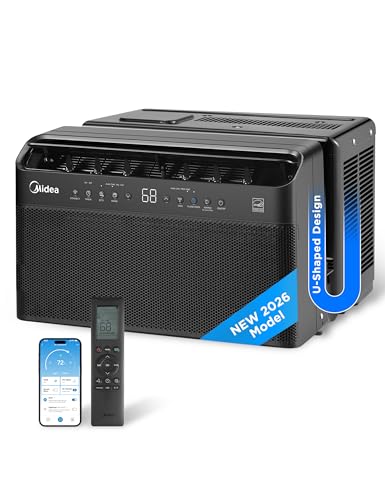
Live listings for the shortlist in this guide are pulled from Amazon below, so prices and availability are always current at the moment you look.




Drawing the threads together
Smart cooling earns its place when it disappears into the household’s habits: rooms ready when they should be, air dry enough to sleep in, bills explained rather than endured, and controls that every member can operate without instruction. Those outcomes come from matching a sound machine to a real routine and then adding only the connected features that serve it, configured one at a time and documented for the people who will inherit them.
Begin with the refrigeration, as this guide did, and let the cleverness audition afterwards. A unit that cools quietly, efficiently and at the right size, wearing a modest layer of well-chosen intelligence, will out-satisfy a dazzling interface wrapped around the wrong machine every summer of its life.
May your home learn your rhythms so gently that you stop noticing the learning, arriving each evening to rooms that feel less like technology performing and more like the cottage simply knowing, the way old houses seem to know, exactly how its people like the air.