Our Top Picks
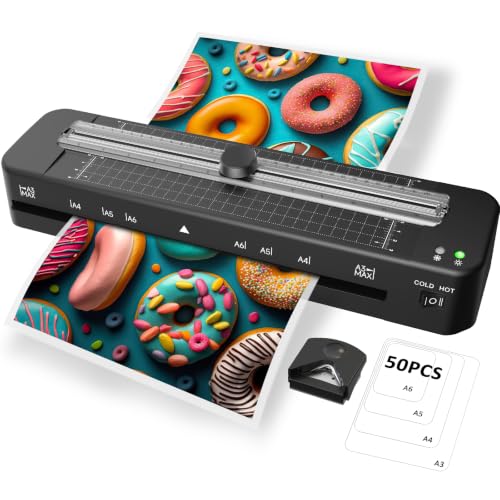
 Bonsaii 9 Inch Laminator Machine9 inch, A4 Laminator12.64 x 3.74 x 2.4 inches1.54 poundsCheck on Amazon
 Crenova Laminator Machine with 10 Laminating Sheets13.78 x 4.13 x 3.15 inches1.7 poundsCheck on Amazon
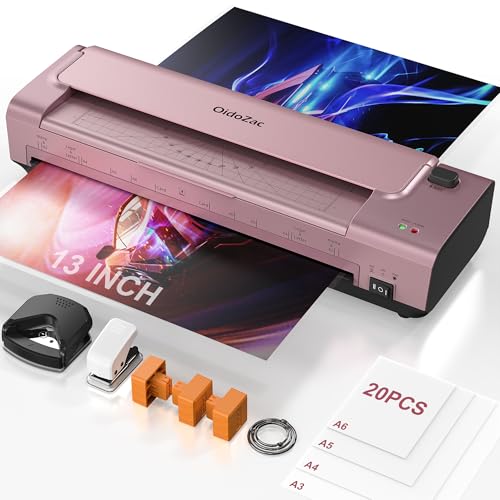
What's inside
- How a pouch laminator actually seals paper
- Pouch thickness, measured in mil, decides stiffness
- Feed width: letter, legal and the occasional wide job
- Warm-up time and what ready really means
- Cold lamination, for pages heat would harm
- Jam release, anti-jam design and rescuing a stuck pouch
- Speed, duty rhythm and the honest limits of a home machine
- What lamination protects, and what it cannot save
- Paper, ink and inserts: feeding the machine well
- Settings, mistakes and the cloudy pouch diagnosis
- Cleaning and care that keep seals consistent
- Safety in a house with children and pets
- Matching the machine to the household that will use it
- Reading a specification sheet without being misled
- Pouch buying, storage and running costs over years
- A calm routine for consistently clean results
- Questions households ask before buying
- Laminating through the seasons of a household year
- Small details that separate a pleasant machine from an irritating one
- Check prices on Amazon
- When a pouch laminator is the wrong tool entirely
As an Amazon Associate I earn from qualifying purchases. This post may contain affiliate links at no extra cost to you.
This guide was assembled from published manufacturer specifications, technical documentation released for current pouch laminator lines, user manuals covering roller care and pouch handling, and aggregated patterns in verified buyer feedback about warm-up behaviour, jam frequency and seal quality at home. A note on how this guide is funded: certain outbound links on this page may earn a small commission when a purchase follows, at no added cost to the reader, and that income supports the research work behind guides like this one.
A personal laminating machine occupies a modest corner of home life, yet it protects an outsized range of paper. Recipe cards splashed beside the stove, a child’s reading certificate destined for the refrigerator door, luggage tags, garden row markers, chore charts, flashcards, sheet music, identification copies for a home file, and the one irreplaceable photograph print that keeps getting handled — all of them last longer once sealed inside a clear pouch. Choosing well matters because a poor match between machine, pouch and paper produces cloudy seals, curled edges and frustrating jams that a better-informed purchase would have avoided entirely.
Unlike the heavy roller systems found in copy shops and school workrooms, a personal model is built for a kitchen table, a craft desk or a shallow home-office shelf. It handles one pouch at a time, warms up within minutes rather than half an hour, and stores upright or flat without dominating the room. That smaller scale brings real limits on thickness, width and daily volume, and the sections below walk through each limit in plain terms so the machine you pick fits the documents you actually own.
How a pouch laminator actually seals paper
Every personal machine in this category works with a pouch: two sheets of clear polyester film joined along one edge, with a heat-activated adhesive coating on the inner faces. You slide the paper inside, centre it so a narrow border of film extends beyond each side, and feed the sealed edge into the machine first. Inside, heated rollers soften the adhesive while pressure presses film against paper, and the pouch emerges sealed, slightly warm and noticeably stiffer than when it entered.
The border matters more than most first-time users expect. That clear margin, roughly an eighth of an inch on every side, is where film bonds to film rather than to paper, creating the waterproof rim that keeps moisture and grime from creeping toward the document. Trim a pouch flush to the paper edge and the seal loses its strongest line of defence; leave the border intact and a laminated recipe card can survive years of sauce splashes and wet fingertips beside a busy hob.
Roller count shapes the quality of that seal. Entry-level personal machines use two rollers, which suit flat paper and standard pouches perfectly well for everyday jobs. Models with four rollers guide the pouch through a longer, steadier pressure path, reducing the wavy distortion that thin paper sometimes shows after a two-roller pass. Six-roller designs appear on wider, faster machines aimed at teachers and prolific crafters, and their extra guidance helps thick or slightly uneven loads emerge flatter.
Heat reaches the pouch in one of two broad ways. Some machines heat the rollers themselves, spreading warmth evenly across the full width of the feed slot. Others position heating elements beside the roller path, warming the pouch as it travels between plates before the rollers apply pressure. Heated-roller designs tend to give consistent results on thicker pouches, while plate-heated designs often reach working temperature sooner, which suits households that laminate in short, spontaneous bursts.
Pouch thickness, measured in mil, decides stiffness
Pouch thickness is stated in mil, a unit equal to one thousandth of an inch, and the figure printed on a box of pouches describes each individual film layer rather than the combined sandwich. A three mil pouch feels flexible, much like a sturdy page protector, and bends easily around curved surfaces. Five mil pouches produce the familiar firmness of a restaurant menu or an identification badge. Seven and ten mil pouches turn paper into something closer to a rigid card that resists folding altogether.
Matching pouch thickness to machine capability is the single most common point of failure for new owners. A compact personal laminator rated only for three and five mil pouches will struggle, stall or under-seal when fed a seven mil pouch, because its rollers and motor are not built to force that stiffer sandwich through under adequate heat. Feeding a thin three mil pouch through a machine set for ten mil work creates the opposite problem: excessive heat can ripple the film, trap bubbles and leave the surface looking wavy or scorched along the edges.
Choosing a thickness for common household jobs
Three mil pouches serve documents that still need to flex: full-page instructions slipped into a binder, reference sheets stored in a folder, or certificates that will rest inside a frame. Five mil suits the broad middle of household work, including flashcards, chore charts, luggage tags, teaching aids, reusable checklists and recipe cards that get handled daily. Seven mil earns its place on items that live outdoors or in rough company, such as garden markers, workshop reference cards, boat documents and signage taped near a garage door. Ten mil belongs to badges, permits and cards that must survive wallets, lanyards and repeated swiping through pockets without softening at the corners.
Photographs deserve a separate word. Glossy photo paper reacts to heat differently from ordinary stock, and a pouch that is too hot or too thick can leave prints looking milky. Many owners choose five mil pouches with a matte or low-glare finish for prints, feed them on the lower of two heat settings, and let each finished piece cool flat under a heavy book so the seal sets without curl. Irreplaceable originals should never be laminated at all, since the process cannot be reversed; scan or copy the original, then laminate the copy.
Buying pouches in mixed-size boxes helps a household discover its real habits before committing to bulk quantities of one dimension. A typical assortment covers letter sheets, smaller card sizes for tags and badges, and a handful of photo sizes. Once a pattern emerges — perhaps the family laminates mostly flashcards and letter pages — bulk purchases of those two sizes become far cheaper per pouch than repeated assortment boxes.
Feed width: letter, legal and the occasional wide job
Personal machines are grouped by the width of their feed slot. Nine-inch models accept letter paper sealed inside its pouch, which means the pouch itself, slightly wider than the sheet, still passes comfortably. Twelve and thirteen inch models swallow legal documents, tabloid sheets, larger artwork and wide teaching posters without trimming. Seventeen inch personal machines exist for banner strips and oversized classroom materials, though they leave the truly compact category behind and demand more shelf depth.
Measure the pouch, not the paper, when judging whether a job fits. A letter sheet rides inside a pouch roughly nine by eleven and a half inches, so a machine described as nine inch refers to that pouch width entering the slot short-edge first. Feeding the long edge first is never an option on a smaller machine, and forcing a wide pouch toward a narrow slot at an angle is a reliable recipe for a diagonal crease that no second pass can repair.
Households that laminate mostly standard documents gain little from a wide machine beyond future flexibility, and they pay for that flexibility with a larger footprint, longer warm-up and a higher draw on a shared circuit. Households tied to a classroom, a small business or a prolific art practice feel the opposite balance: trimming every poster or joining two pouches along a seam quickly becomes the most tedious part of the hobby, and width pays for itself within a few projects.
Desk space deserves honest measurement before ordering. A thirteen inch machine needs clearance behind it equal to the length of the longest pouch, because finished work exits the rear and should land flat rather than drooping over the desk edge while the seal is still warm. Readers arranging a compact workstation may also appreciate our guide to best compact desk chairs, since a laminating corner usually shares its square footage with seating, storage boxes of blank pouches and the paper trimmer that inevitably joins the setup.
Warm-up time and what ready really means
Published warm-up figures range from about one minute on small modern machines to five or six minutes on wider or thicker-capable models. A ready light or a soft chime signals that the heating element has reached its target, although experienced owners often give a thick-pouch job an extra minute beyond the signal, because the indicator reports element temperature rather than the full thermal soak of the roller assembly. That patience shows up in the first pouch of a session, historically the one most likely to emerge with a faint cloudy patch near one corner.
Warm-up behaviour shapes how a machine fits daily routines. A parent laminating two flashcards before the school run needs a machine that is genuinely ready almost immediately and forgiving of a hurried feed. A crafter settling in for an afternoon of garden markers and journal covers can accept a slower start in exchange for steadier heat across a long session. Neither preference is wrong; they simply point toward different designs, and spec sheets reveal the difference plainly once you know to look for it.
Automatic shut-off adds a quiet layer of reassurance. Machines that power down after thirty or sixty idle minutes protect against the familiar scenario of a laminator left glowing on a desk through lunch, through the afternoon and into the evening. The feature also extends element life. Households with children or forgetful adults should treat auto shut-off as close to essential, while dedicated craft rooms with disciplined routines may regard it as merely pleasant.
Heat settings deserve the same scrutiny. A single-temperature machine keeps operation blissfully simple and suits families who standardise on one pouch thickness. Dual settings, usually labelled for three and five mil work, cover the realistic range of most homes. Machines offering a dial or several stepped settings reward owners who move between delicate photographs, standard documents and rigid badges in the same week, provided those owners actually remember to change the setting before each batch rather than after the first casualty.
Cold lamination, for pages heat would harm
A cold setting lets the rollers apply pressure without engaging the heaters, and it pairs with special pressure-sensitive pouches whose adhesive bonds on contact. Cold lamination protects materials that heat would damage: thermal receipts that darken when warmed, inkjet prints whose coating can soften, delicate artwork in wax-based media, ultrasound images, old documents on brittle paper and anything containing heat-sensitive embellishments such as certain glues or foils.
The trade-off is cost and firmness. Pressure-sensitive pouches generally cost more per sheet than their heat-activated counterparts, and the finished piece can feel marginally less rigid. For a household, the sensible pattern is to keep a small pack of cold pouches reserved for fragile items while running everyday work through standard thermal pouches. A machine with a genuine cold mode, rather than simply being switched off, maintains even roller pressure and a steadier feed rate, both of which reduce the streaks that hand-cranked cold application often leaves behind.
Cold mode also rescues a specific classroom and craft technique: laminating over glitter, pressed flowers or layered collage. Heat can melt adhesives holding such layers together and can flatten dimensional pieces unevenly, while a cold pass seals the surface with gentler thermal neutrality. Thick collages still challenge any personal machine, since the rollers must climb over the raised material, so test the arrangement on a copy or a practice piece before committing the finished artwork.
Jam release, anti-jam design and rescuing a stuck pouch
Jams happen to every owner eventually, usually at the moment a pouch enters slightly crooked, a carrier is forgotten on a machine that expects one, or two pouches are fed in overlapping haste. What separates a minor pause from a ruined afternoon is the release mechanism. Many personal machines include a jam release lever, often marked ABS, which separates the rollers so the trapped pouch can be pulled gently back out the way it entered. That single lever is worth prioritising over cosmetic extras.
Anti-jam engineering tries to prevent the incident altogether. Sensors on some models detect a misfeed and reverse the rollers automatically, returning the pouch to the operator before adhesive sets in the wrong place. Others rely on wider entry guides and a straighter feed path. No system is infallible, and the aggregated buyer feedback surveyed for this guide returns again and again to one humble habit: feeding the sealed edge first, centred, with the pouch supported flat until the rollers take hold, prevents the overwhelming majority of jams regardless of model.
When a pouch does stick, patience protects both document and machine. Switch the unit off, let it cool, engage the release lever if fitted, and draw the pouch out slowly along the feed path. Never yank sideways, never pry with a metal tool near the rollers, and never feed a second pouch in an attempt to push the first one through. A pouch wrapped around a roller after a severe misfeed is a job for the manufacturer’s service guidance, not for improvised extraction with kitchen implements.
Carriers deserve a clarifying note because advice varies by generation of machine. Older laminators often required a cardboard carrier around each pouch to distribute heat and catch adhesive squeeze-out. Most current personal models are designed for carrier-free feeding and say so in their manuals, while a minority still recommend carriers for photographs or very thin pouches. The manual for your specific machine governs; following forum habits from a different era can either starve a modern machine of direct roller contact or expose an older machine to adhesive residue it was never built to tolerate.
Speed, duty rhythm and the honest limits of a home machine
Feed speed is quoted in inches per minute, and personal models generally travel somewhere between twelve and twenty inches in that span, with faster designs aimed at classroom volume. Speed interacts with thickness: a machine may move a three mil pouch briskly yet need a slower, hotter pass for seven mil stock, and some models adjust pace automatically when a thicker setting is selected. For occasional household batches of ten or twenty pouches, the practical difference between a fast and slow machine amounts to a few minutes, far less than the time spent trimming, sorting and labelling the finished pieces.
Duty rhythm matters more than headline speed. A personal laminator is not built to run hundreds of pouches back to back without pause. Motors and elements in this class expect a domestic pattern: a burst of activity, a rest while the operator prepares the next batch, another burst. Owners who push a compact machine through a school fair’s worth of bookmarks in one unbroken run sometimes meet thermal protection behaviour, where the unit pauses or cools mid-batch to protect itself. Planning a large project across an afternoon, with natural breaks for cutting and collating, keeps a home machine inside its comfort zone.
Noise is a small but real consideration for open-plan homes. Roller motors produce a low, steady hum rather than anything intrusive, though gear-driven budget models can add a faint rhythmic clicking as the pouch advances. Laminating during a sleeping baby’s nap in the same room is optimistic; laminating in the next room while a household carries on normally is entirely realistic. Anyone sensitive to workspace air quality during long craft sessions might also browse our notes on best air purifiers for home office, because heated film carries a mild warm-plastic scent that some noses notice more than others.
That scent deserves a balanced word. A faint odour during the first few uses of a new machine is commonly reported and usually fades as manufacturing residues warm away. Ventilating the room, running the machine on a clear surface away from soft furnishings, and avoiding marathon sessions in a sealed small room keep the experience comfortable. A strong, persistent chemical smell accompanied by smoke or discoloured pouches is not normal seasoning behaviour; it signals excessive heat for the pouch in use or a fault that deserves attention before further work.
What lamination protects, and what it cannot save
A sealed pouch shrugs off splashes, damp fingers, dust and the slow abrasion of items rubbing together in a drawer. It does not make paper immortal. Ultraviolet light still fades inks through clear film, which is why laminated signs posted on a sunlit fence pale across a single summer. Heat still warps pouches left on a car dashboard. Water still finds any puncture, trimmed corner or hole punched carelessly through the sealed border rather than inside it.
Hole punching illustrates the principle neatly. Punch through the paper area, inside the film border, and the surrounding seal stays intact. Punch through the border itself and the two film layers separate around the hole, opening a channel for moisture. Owners who need lanyard holes in badges should either use pouches with pre-punched slots, punch well inside the margin, or add a reinforcing eyelet. The same logic governs trimming: decorative rounded corners are safe when the cut stays within the clear margin and never bites into the paper.
Some documents should stay unlaminated for legal or archival reasons. Original certificates, signed contracts, notarised pages and anything whose authenticity may later be judged by its paper, ink or embossed seal can lose evidentiary value once entombed in plastic, and certain institutions refuse laminated originals outright. Vehicle titles, birth certificates and professional licences are classic examples where a laminated copy serves daily reference while the untouched original rests in a safe place. When in doubt, laminate a faithful copy and file the original flat, dry and dark.
Children’s artwork presents the opposite emotional pull. Lamination preserves a drawing beautifully for a decade of refrigerator display, yet it also freezes the piece, preventing later framing choices that need flexible paper and making storage bulkier. Many families adopt a split policy: laminate the small, heavily handled favourites destined for placemats, bookmarks and grandparent gifts, while storing the larger portfolio pieces unlaminated in a flat art case. The machine serves the memory better when it is not asked to preserve absolutely everything.
Paper, ink and inserts: feeding the machine well
Ordinary copier paper is the easiest passenger a laminator carries, but home output is rarely ordinary. Inkjet prints should dry fully before sealing — a full day is safest for dense colour coverage — because residual moisture and unset ink can cloud the adhesive or bubble under heat. Laser prints travel more forgivingly, though heavy toner coverage on dark images occasionally shows a faint sheen change after sealing. Card stock up to moderate weights feeds well in most personal machines, while very thick board belongs to a different class of equipment.
Glossy and coated papers ask for a steadier hand. Their slick surfaces give adhesive less texture to grip, so a slower setting, a carrier if the manual allows one, and a second warm pass can improve clarity. Metallic or glitter papers vary wildly by construction; some shed particles that migrate onto rollers, which is one reason crafters dedicate an older or simpler machine to experimental materials and keep the household workhorse for clean paper only.
Thin, delicate inserts benefit from being mounted first. A pressed leaf, a fragile newspaper clipping or a child’s tissue collage can be centred on a sheet of plain paper inside the pouch, giving the rollers an even thickness to grip and preventing the delicate item from drifting toward one edge mid-feed. Newspaper deserves a copy rather than the original whenever possible, because newsprint yellows and its inks can transfer under heat, while a fresh photocopy laminates cleanly and reads just as well on a classroom wall.
Multiple small items can share one letter pouch when arranged with care. Flashcards, tags or labels laid out with small gaps between them, kept clear of the pouch edges, seal in a single pass and are then cut apart inside their individual margins. The economy is real, yet each cut piece must retain its own complete border of film-to-film seal; items placed too close together end up sharing a wall too thin to trust, and items touching the pouch edge emerge with one side effectively open.
Settings, mistakes and the cloudy pouch diagnosis
A cloudy or milky finish is the most common disappointment in buyer feedback, and it almost always traces back to insufficient heat for the pouch thickness in use. The adhesive simply has not fully melted and clarified. The remedy is usually simple: confirm the setting matches the pouch, allow fuller warm-up, and feed the pouch through a second time. Cloudiness that survives a second, correctly heated pass may indicate old pouches whose adhesive has degraded in storage, particularly stock kept in a hot garage or a damp basement.
Bubbles and ripples point the other way, toward excessive heat, a pouch fed at an angle, or moisture trapped inside. Tiny bubbles along a photograph often mean the print had not dried completely. Long ripples running with the feed direction suggest the pouch entered skewed and the rollers pulled unevenly. A single large blister near the centre usually marks an air pocket sealed in during loading, preventable by smoothing the pouch flat on the table and guiding its leading edge in straight with both hands until the rollers take over.
Curled results are a temperature and cooling story. A pouch that exits and lands draped over the machine’s rear edge, a book spine or the operator’s waiting hand will set with that curve as it cools. Flat landing on a clear stretch of table, followed by a minute under a heavy book or a cutting mat for stubborn pieces, produces the crisp, flat finish people expect. Machines with extended exit trays or support wings help here, and owners without one can improvise the same landing zone with a clean board placed behind the machine.
Adhesive squeeze-out at the edges, visible as a faint sticky line on the next pouch or a gummy feel along the rollers, signals pouches slightly overfilled, heat a touch high, or repeated feeding without pauses. Running a plain sheet of copier paper through a warm machine — a method many manuals endorse — picks up light residue and refreshes the path. Purpose-made cleaning sheets exist for heavier build-up. A soft cloth kept for this job, rather than a fibrous disposable wipe, avoids leaving lint in the feed path; households reducing disposable wipes generally may find useful ideas in our overview of best alternative to paper towels.
Cleaning and care that keep seals consistent
Roller care is undemanding but not optional. Adhesive residue accumulates invisibly across months of occasional use, then announces itself as streaks, drag marks or a pouch that hesitates mid-feed. A monthly pass of a cleaning sheet, or plain paper on machines whose manuals approve it, keeps the path clear. The exterior needs only a dusting, and the feed slot benefits from a visual check before each session: a stray staple, a paperclip or a child’s sticker entering with a pouch can score a roller and haunt every later job with a repeating line.
Storage shapes longevity as much as use does. A personal laminator rests best indoors, in dry air, away from steamy bathroom-adjacent cupboards and freezing garages. Pouches share the same preferences; heat and humidity age their adhesive long before the box is opened. Many owners keep the machine on a low shelf with its pouch stock in a labelled box beside it, plus a sticky note on the lid recording which thickness the machine was last set for — a humble system that prevents the classic error of feeding five mil pouches on a three mil setting after a month away.
Cord and workspace habits round out safe care. The cord should never drape across the exit path where a hot pouch can rest against it, and the machine should sit on a heat-tolerant, stable surface rather than a wobbling tray table. After a session, letting the unit cool before moving or covering it protects both the housing and whatever it is stored against. A periodic deep clean of the surrounding desk zone helps too, and for readers planning a broader tidy of the craft corner, our guide to best steam cleaning machines covers the floors and surfaces around the workspace rather than the machine itself.
Safety in a house with children and pets
A laminator’s feed slot and warm housing command the same respect as a clothes iron. The slot is narrow and guarded by design, yet the exit side delivers pouches hot enough to startle small fingers, and the top surface of some models grows genuinely hot during long sessions. Positioning the machine toward the back of a counter, supervising its use with younger children, and treating the cooling period as part of the activity keep the hobby relaxed rather than risky.
Older children, by contrast, gain a great deal from supervised laminating. The process teaches patience, measurement and care with materials, and the payoff — a bookmark, a labelled diagram, a preserved map for a den — arrives within the minute. Households that laminate for school projects often designate one adult or responsible teenager as the machine operator while younger helpers handle sorting, trimming cooled pieces and punching holes inside safe margins. Clear roles prevent the crowding around a hot slot that causes most minor mishaps.
Pets introduce a quieter hazard: curiosity about a warm, humming object and a tendency to shed hair directly into any open feed path. Running the machine with the door of the craft room closed, or simply choosing a time when the cat is asleep elsewhere, keeps hair out of seals and paws away from warm surfaces. A quick glance along the slot before switching on is a worthwhile ritual in any pet-owning home, since a whisker or hair sealed into a pouch is preserved with embarrassing permanence.
Matching the machine to the household that will use it
The occasional protector
Some households laminate a dozen times a year: a replacement insurance card copy, a set of instruction sheets for a new appliance, tags before a holiday trip. For this pattern, a compact nine inch machine with two heat settings, a jam release lever and a warm-up under three minutes covers every realistic need. Paying for width, six rollers or classroom speed buys capability that will sit idle, while the money saved funds a generous stock of five mil pouches in the sizes this household actually reaches for.
The teacher and the home educator
Education at home or in a classroom multiplies volume and variety together. Sight-word cards, number lines, reusable worksheets that accept dry-erase markers, name tags, hall passes and posters all pass through the machine across a single term. A twelve or thirteen inch model with four rollers, dependable anti-jam behaviour and a tolerance for five and seven mil pouches earns its larger footprint quickly. Dry-erase reuse deserves a note of its own: laminated sheets wiped daily eventually ghost where marker sits longest, and a light rub with a suitable board cleaner restores most surfaces before the sheet is retired and reprinted.
The crafter and seller of handmade goods
Crafters ask a laminator to protect journal covers, planner dashboards, die-cut labels, product care cards and market stall signage, often in unusual sizes and mixed materials. Cold capability becomes genuinely valuable here, as do stepped heat settings for moving between photographs, card and glitter-adjacent projects in one sitting. Sellers should pay particular attention to edge quality, because customers read a cloudy corner or a lifting seal as a proxy for the care taken everywhere else in the product. A second, inexpensive machine reserved for experimental media protects the primary unit from glitter and adhesive-heavy experiments.
The organised home office
A home office laminates for order rather than display: labelled binder spines, quick-reference charts pinned inside cupboard doors, emergency contact cards, equipment instructions and durable checklists for shared household systems. Here the winning traits are a slim profile that stores in a drawer or upright in a cupboard, a short warm-up that respects a busy morning, and quiet operation during calls in the same room. Pairing the machine with a simple labelling routine — date each reference sheet discreetly on its reverse before sealing — prevents the slow accumulation of outdated laminated instructions that nobody dares throw away.
Reading a specification sheet without being misled
Specification lists reward translation into household language. Maximum pouch thickness tells you the stiffest work the machine will seal reliably, and it should be read alongside the heat settings offered: a machine claiming ten mil capability with only one temperature setting deserves a cautious look at its buyer feedback for reports of cloudy thick pouches. Warm-up claims should be compared at equal width, since a thirteen inch element naturally takes longer to soak than a nine inch one. Entry width should be checked against the pouch dimension, as discussed earlier, rather than against the paper size printed in marketing headlines.
Roller counts and motor descriptions carry meaning too. A reference to heated rollers suggests even warmth across wide pouches. A mention of a carrier-free design confirms modern feeding expectations. Reverse functions, release levers and auto shut-off timers each appear as plain line items, and together they describe how forgiving a machine will be on the tired evening when a pouch inevitably goes in crooked. Forgiveness, in a household appliance used by several people of different ages and patience levels, is a specification in its own right.
Warranty length and the availability of replacement guidance matter for a device built around heat and moving rollers. A modest warranty backed by a manufacturer that publishes clear manuals and cleaning instructions inspires more confidence than a longer promise from a seller whose documentation ends at the box. Buyer feedback patterns surveyed for this guide repeatedly praise makers whose support pages explain jam clearing with photographs, because that is the moment owners most need calm, visual help.
Pouch buying, storage and running costs over years
The machine is the smaller expense in this hobby; pouches are the recurring one. Cost per pouch falls steeply in larger boxes, so the economical rhythm is to identify your two dominant sizes, buy those in bulk, and keep one small assortment box for odd jobs. Five mil letter pouches anchor most households, joined by a card size for tags and badges. Photo sizes justify bulk only for families who genuinely print and preserve photographs at home rather than ordering prints elsewhere.
Running costs also include the occasional sacrificed pouch. Every owner ruins a few each year to crooked feeds, wrong settings and experiments that seemed promising at midnight. Building that small waste into expectations keeps the hobby cheerful, and keeping a practice stack of cheap pouches and scrap paper beside the machine encourages a quick trial feed whenever a new material or thickness appears, rather than gambling the good document on an unfamiliar combination.
Electricity use is modest in absolute terms — a personal laminator draws power comparable to a small kitchen appliance and only while heating or feeding — yet households mindful of standby draw should switch the unit off at the wall between sessions rather than leaving its indicator glowing indefinitely. The habit pairs naturally with auto shut-off as a second line of defence, and it costs nothing beyond the second it takes to flip the switch while tidying the desk.
A calm routine for consistently clean results
Experienced owners converge on a ritual that removes most variables before the first pouch moves. The machine goes onto a clear, flat surface with landing room behind it. The setting is checked against the pouch box in hand, not against memory. While the ready light warms, documents are centred in their pouches on the table, borders equalised, and the stack is ordered so the most important piece is never the very first feed of the session — that honour goes to a practice or low-stakes item while the operator confirms the day’s heat and pace.
During the run, each pouch is supported flat until the rollers take it, released without a push, and left untouched while it travels. Finished pieces land flat, cool undisturbed, and only then are trimmed, punched or stacked. Pauses between batches let the operator wipe the desk of trimmings, check the slot for strays and glance at the last piece under room light for cloudiness while correction is still easy. None of this requires talent; it requires only the decision to treat a five-minute setup as part of the craft rather than as a delay before it.
Troubleshooting follows the same calm order. Identify whether the flaw is clarity, flatness, adhesion or travel. Clarity problems ask about heat and pouch age. Flatness problems ask about landing and cooling. Adhesion problems ask about borders, thickness matching and whether the item inside was truly dry. Travel problems ask about alignment, residue and whether the load exceeded the machine’s stated thickness. Working through those four questions in sequence resolves the great majority of complaints recorded in owner feedback, without a single tool being lifted.
Questions households ask before buying
Can a personal machine handle a document slightly thicker than its rating if fed slowly? The honest answer is that ratings describe reliable sealing, not physical possibility, and a pouch that squeezes through under protest often emerges under-sealed, over-stressed or both. Owners who regularly need seven or ten mil results should buy the machine built for them rather than coaxing a lighter model into occasional heroics that shorten its life.
Is a wider machine always the safer purchase? Width helps only the jobs that need it, while adding warm-up time, storage bulk and cost to every ordinary letter job for years. The safer purchase is the one matched to the largest document you laminate at least a few times a year; rarer oversize pieces can be sealed in two joined sections, handled by a copy shop, or protected in a rigid sleeve instead.
Do matte pouches change machine settings? Matte and low-glare films generally run at the same settings as gloss in the same thickness, though their surface shows scratches and roller marks more readily, so cleanliness of the feed path matters more. Owners preserving photographs under matte film often choose the lower heat setting offered for their thickness and allow prints a longer flat cooling rest, which together keep the subdued finish even.
How long should a personal machine last? With dry storage, monthly cleaning passes and work kept inside its thickness rating, a home laminator commonly serves for many years of intermittent use, and the earliest signs of age are usually slower warm-up or an occasional faint line that cleaning resolves. Treating the first sign of residue seriously, rather than feeding harder pouches to push through it, is what separates a machine that ages gracefully from one that fails during a deadline.
When the last pouch of the evening has cooled flat beneath its book and the desk is clear again, a well-chosen laminator simply waits, patient and unremarkable, for the next small piece of paper worth keeping.
Laminating through the seasons of a household year
Demand for a home laminator arrives in waves tied to the calendar, and recognising the pattern helps owners stock pouches before the rush rather than during it. Late summer brings school preparation: name labels for supplies, reading logs, bus information cards and the protective sealing of timetables that must survive a backpack until spring. A household that counts its likely September jobs in July can buy pouches calmly, practise on scrap, and meet the first school week without a midnight session at the kitchen table.
Autumn turns toward organisation indoors. Gardeners laminate planting notes and seed packet summaries while the season’s lessons are fresh. Cooks preserve the annotated recipe cards that earned their splashes honestly across the harvest months. Clubs and teams seal fixture lists, contact trees and rota sheets that will be pinned, carried and consulted in all weathers. Each of these jobs favours durability over beauty, which is why five and seven mil pouches dominate the season and why a machine with a dependable release lever earns gratitude when a thick, slightly uneven garden card wanders off line.
Winter holidays add the decorative wave. Gift tags, place cards for a crowded table, personalised bookmarks slipped into books, and preserved children’s drawings for grandparents all pass through the machine in December. Metallic papers and layered cards appear more often in this season, which is precisely when cold mode and practice feeds justify themselves. A crafter who trials a new glitter stock on a spare pouch in November will not be gambling a finished set of place cards on an unfamiliar material the night before guests arrive.
Spring cleaning gives the machine its archival wave. Families sorting paperwork seal the copies that live in cars, wallets and emergency folders: insurance summaries, vaccination record copies, pet documents, appliance quick-start pages and the contact sheet taped inside a kitchen cupboard. Framing the spring session as part of a wider household refresh keeps it purposeful, and it is also the natural moment to run cleaning sheets through the machine, replace a tired pouch assortment and note any change in warm-up behaviour while nothing urgent is waiting.
Small details that separate a pleasant machine from an irritating one
Entry guides look trivial in photographs and prove their worth in daily use. A shallow, well-marked throat with a centre line or subtle rails helps every user, from a distracted parent to a grandparent with reading glasses perched low, start a pouch straight without thinking about it. Machines whose guides are merely decorative invite the slow drift that ends in a diagonal seal. When comparing models, the shape of the first inch of the feed path tells an attentive shopper more than several lines of marketing copy about speed.
Feet and stability matter because a laminator is fed with both hands and should not skate across a polished table as the pouch engages. Rubber feet, a low centre of gravity and a housing that stays planted when the release lever is pressed all contribute to the feeling of a tool that cooperates. That feeling is not a luxury; a machine that shifts mid-feed is a machine quietly manufacturing crooked pouches, and the operator often blames their own technique for what is really a stability shortfall in the design.
Indicator design shapes the experience of waiting. A simple ready light suits most homes, while a gentle audible signal helps anyone laminating in another part of the room or supervising children nearby. What owners consistently dislike, judging by feedback patterns, is ambiguity: lights that glow in the same colour for warming and ready, or controls whose icons require the manual every single month. Clear, forgiving controls respect the reality that a personal laminator is used intermittently, and its operation must be re-learnable at a glance after weeks in a cupboard.
Carry and storage details round out daily satisfaction. A recessed handle, a cord that wraps or clips neatly, and a profile slim enough to slide beside binders on a shelf all determine whether the machine lives within easy reach or migrates to a distant cupboard where good intentions go to be forgotten. The best personal laminator for a given home is frequently not the most capable model on paper but the one that will actually be fetched, used and put away without friction on an ordinary Tuesday.
Consider, finally, how the machine will share its home with other paper tools. A trimmer, a hole punch, a label printer and a stack of blank pouches form a small ecosystem around it, and arranging that ecosystem once — pouches sorted by size in a single box, trimmer stored flat beneath, practice scraps in a labelled envelope — repays the effort at every session. Laminating then stops being a project that requires gathering supplies from three rooms and becomes what it should have been all along: a two-minute act of preservation, performed the moment a piece of paper proves it deserves to last, sealed by a machine chosen with clear eyes and matched to the life of the house it serves.
Check prices on Amazon
Live listings for the shortlist in this guide are pulled from Amazon below, so prices and availability are always current at the moment you look.
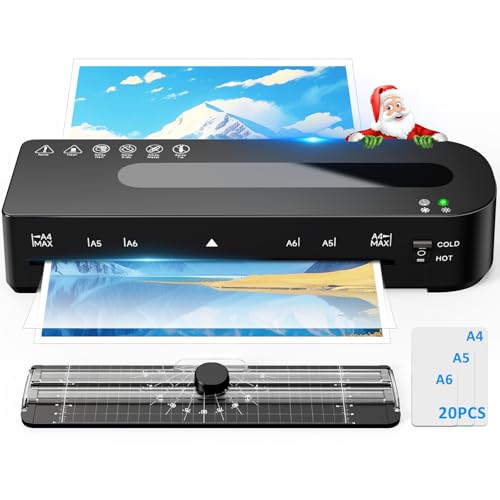


When a pouch laminator is the wrong tool entirely
Honest guidance includes the boundaries of the category. Documents wider than seventeen inches, rigid boards, fabrics, and anything containing batteries, magnets thick enough to challenge the roller gap or materials that melt at modest temperatures belong elsewhere. Wide-format work is served by roll laminators in print shops, while delicate archival preservation belongs to sleeves, encapsulation in inert film without adhesive, or a conservator’s bench. Recognising a job that exceeds the machine protects both the document and the equipment from a well-intentioned disaster.
Volume has a boundary too. A community group preparing several hundred laminated programmes for a single event will exhaust the patience of any personal machine and its operator alike, and the per-pouch cost at that scale often exceeds the price of having the batch produced commercially. The home machine shines in the territory below that threshold: the steady, personal, oddly sized stream of paper that no shop would handle as cheaply or as promptly, arriving one meaningful sheet at a time across the life of a household.
There is also a boundary of taste worth respecting. Not every treasured page wants the gloss and stiffness of a sealed pouch. Handwritten letters carry meaning in their texture, and sealing them flattens that intimacy behind plastic. Many owners therefore keep a simple rule on the shelf beside the pouches: laminate the useful, sleeve the precious, and photograph everything first, so that whichever choice the future questions, a faithful image of the original page survives somewhere safe beyond the reach of heat, water and time.
One last habit separates satisfied owners from frustrated ones in the feedback patterns gathered for this guide: they keep notes. A small card taped inside the pouch box records which setting suited the thick photo stock, how long the wide machine truly needed on a cold morning, and which experimental paper curled despite every precaution. Those few lines, written in the moment rather than reconstructed months later, turn each session into guidance for the next, and they cost nothing except the minute spent writing them while the final pouch cools on the table nearby.
That notebook habit pairs well with one final courtesy to the next person who uses the machine, whoever in the household that turns out to be: leave the setting dial where the pouch box beside it expects, coil the cord loosely rather than tightly around a warm housing, and restock the practice scraps when the envelope runs low, so the next session begins with everything already in its place.